
In short: Auto-debits are the only spending that happens while you're asleep. A ₹149 plan you stopped using is ₹1,788 a year. A few of them together quietly cost most people ₹8,000–₹15,000 annually — not because anyone was careless, but because the amounts are deliberately small enough to ignore. This is how to find every recurring payment on your account, decide once what stays, and make sure the next silent one doesn't get four months of your money before you notice.
The ₹149 That Has Been Leaving Every Month Since March
You signed up in March. There was a trial, or an offer, or a friend who said you had to watch that one show. You watched the show. You liked it. Then April happened, and work got busy, and you never opened the app again.
The money didn't stop. It has been leaving on the 14th of every month since — ₹149, no confirmation asked, no "are you still using this?", just a two-line SMS at some point in the afternoon that you swiped away because you were in a meeting.
Five months. ₹745. For a show you finished in a weekend.
And here's the thing that stings a little: you're not bad with money. You'd never hand ₹745 to someone for nothing. You just never had a moment where all of it appeared in one place, at once, in a way you could actually see.
Why These Payments Are So Easy to Miss
Forgotten subscriptions survive on a very specific design. Every part of it is working against your attention.
The amount is chosen to be ignorable. ₹99, ₹149, ₹199, ₹299. All of them sit just below the line where your brain files something as "real money." A ₹2,000 debit gets investigated. A ₹149 debit gets swiped away.
The dates are scattered. One on the 3rd, one on the 14th, one on the 22nd, one that renews annually in a month you won't remember. They never line up, so they never look like a group. They look like four unrelated small things.
You approved them once, months ago. A UPI autopay mandate you tapped through during a free trial. An e-mandate on your card. A standing instruction. These are legitimate — you did say yes. But you said yes to a future version of yourself who you assumed would be paying attention.
Nothing ever reminds you. No service sends you an email saying "you haven't opened this in 94 days, want to cancel?" The entire business model of a subscription is the month you pay without using it. That's not a conspiracy — it's just how the incentives point.
And the SMS arrives at the worst possible time. Your bank does tell you. Every single time. But that alert lands between a delivery OTP and a spam message about a personal loan, in an inbox with 4,000 unread messages, while you're doing something else.
The information was never hidden. It was just scattered across five months of an inbox nobody reads.
The Real Number Is the Yearly One
Here's the mental trick that changes how this feels. Stop looking at the monthly amount. Multiply by twelve.
- ₹149/month music plan you replaced with another one — ₹1,788 a year
- ₹299/month OTT you kept "for the family" — ₹3,588 a year
- ₹199/month cloud storage for photos already backed up elsewhere — ₹2,388 a year
- ₹499/month gym membership visited four times since January — ₹5,988 a year
- ₹99/month app you genuinely cannot remember signing up for — ₹1,188 a year
That's ₹14,940. For most people reading this, that's a flight home and back. Or four months of SIP. Or the emergency cushion you've been meaning to start "once there's spare money."
There was spare money. It was leaving on the 3rd, the 14th and the 22nd.
This isn't an argument for cancelling everything. Some of those five are worth every rupee — the OTT the family actually watches, the music you listen to daily. The point is that right now you're not choosing. You're just… continuing. And continuing is not the same as deciding.
The Part Where Most People Get Stuck
Everyone reading this already knows the advice: "audit your subscriptions." Fine. Try it right now and you'll hit the wall within two minutes.
Which account did that one come from? Was it the salary account or the one linked to UPI? Was it on the credit card or the debit card? Your bank statement shows a merchant name like PAYU*BUNDLXYZ that means nothing. The UPI apps each show only their own mandates. The credit card bill shows a different set entirely. To assemble one honest list you'd need to open three apps and a PDF statement, scroll six months, and squint at merchant strings.
So you do it once, badly, in January. You find two. You feel good. You never do it again, and by July there are three new ones.
The problem was never willpower or awareness. It's that the audit is annoying enough that it only happens once a year, and recurring payments accumulate continuously. You can't fight a monthly leak with an annual check.
What Actually Fixes It: Make Repetition Visible
Here's the useful insight. A recurring payment has a fingerprint that a one-off payment doesn't: the same merchant, a similar amount, roughly the same date, month after month. Once anything is looking at your transactions as a group instead of as a stream, these become the easiest thing in the world to spot. They're the only lines that repeat.
The catch is that your bank shows you a stream, in date order, mixed with your groceries and your autos and your rent. The pattern is there. Nothing is drawing it for you.
That's the specific job Mera Kharcha does. It reads the bank and UPI transaction SMS your phone already receives — on your device, automatically — and turns those scattered alerts into a picture organised by merchant and category, not just by date. Which means the ₹149 that shows up in March, April, May, June and July stops being five forgotten messages and starts being one obvious line item you can finally do something about.
- Every account in one view — salary account, second account, cards. If your bank texts you about it, it's counted.
- Grouped by merchant — so repeats surface instead of hiding between a Swiggy order and an auto fare.
- Month vs month — the honest comparison that makes a new silent debit stand out immediately.
- Nothing to log — it works on the days you forget the app exists, which is the only kind of tracking that survives real life.
- No bank login — it reads the SMS your bank already sent you. Nothing is asked for your net banking credentials, ever.
Or Just Ask It, in Plain Words
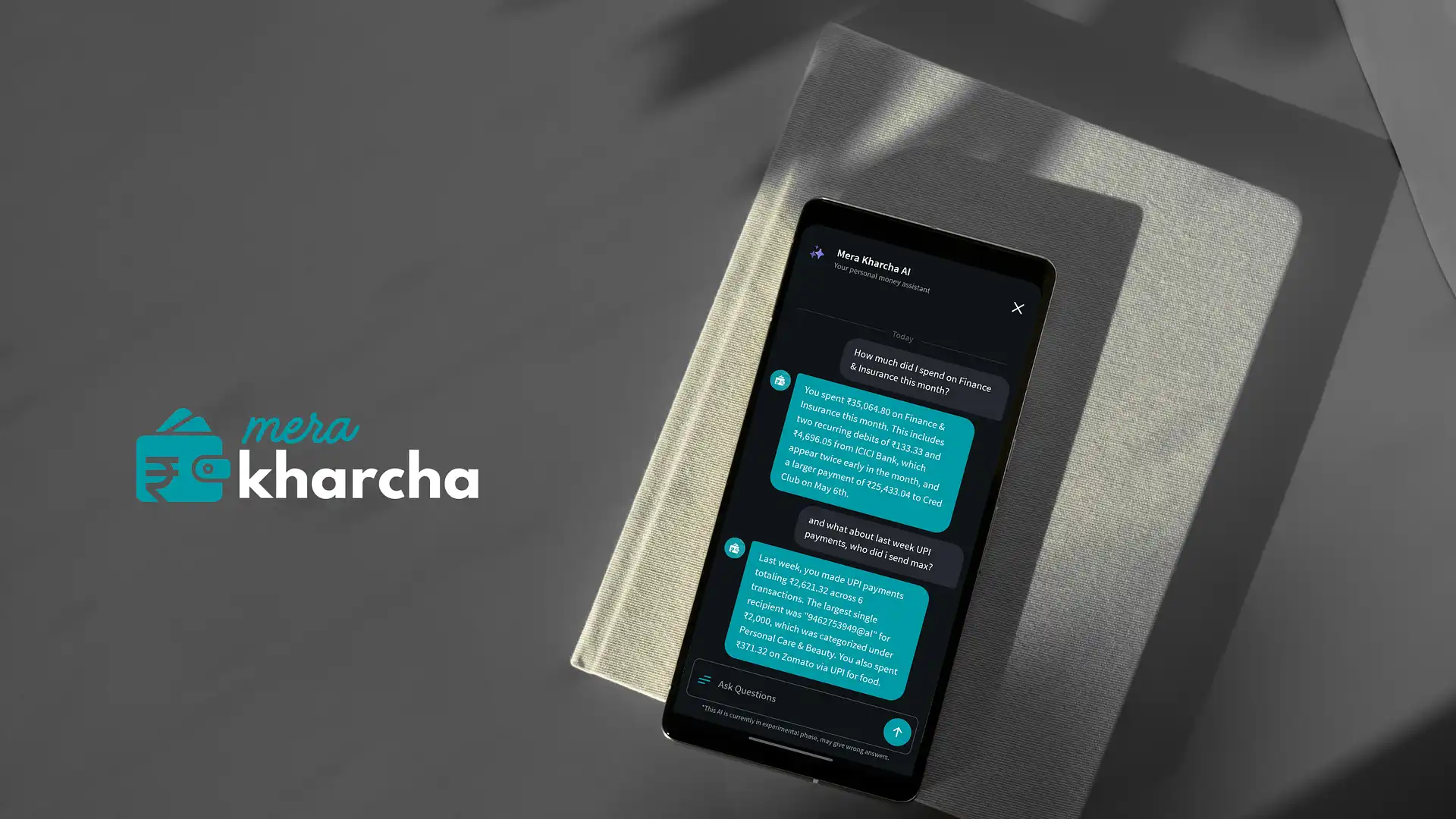
Even with a clean list, the honest problem remains that nobody wants to sit and study spreadsheets of their own spending on a Tuesday night. So you don't have to. Mera Kharcha's built-in AI Assistant sits on top of all those transactions, and you talk to it the way you'd text a friend:
- "What payments repeat every month?"
- "How much did I pay for subscriptions this year?"
- "Show me everything that debited automatically in July."
- "How much have I spent on this app since January?"
- "Compare my spending this month to last month."
Ask in English or in Hindi — however you actually think about money. You get a number back in about two seconds instead of a twenty-minute archaeology session across four apps.
And on privacy, since this is your bank data: the SMS are read on your phone. When the AI Assistant answers, it uses only anonymized transaction details — merchant, amount, payment type, date. Your name, phone number, account number, card number and the raw text of your messages are never sent to the AI model. It can answer questions about your money without ever needing to know it's yours.
It's free on Android. Optional premium features add reminders before due dates, if you want a nudge before the next mandate fires rather than an SMS after.
Find Your Recurring Payments — FreeDo This Tonight — It Takes Fifteen Minutes
1. Build the list. Either let Mera Kharcha surface the repeating merchants for you, or scroll three months of statements and write down anything that appears more than twice with a similar amount. Three months is enough; six is better.
2. Check the mandate screens directly. In PhonePe, Google Pay, Paytm or your bank app, open the profile menu and look for Autopay or Mandates. For cards, check net banking under e-mandate or standing instructions. This catches things that haven't debited yet.
3. Put a yearly number next to each one. Monthly × 12. Write it down. This single step does most of the emotional work — ₹299 argues for itself, ₹3,588 has to justify itself.
4. Sort into three piles, not two. Keep (you use it, it's worth it, no guilt). Cancel (obvious). Downgrade or share — the family plan instead of two individual ones, the annual plan if it's genuinely cheaper, the tier you actually use. Most people's biggest wins are in pile three, not pile two.
5. Cancel properly, in both places. Cancel inside the service's own settings and cancel the mandate in your UPI app or bank. Doing only one is how people end up "cancelling" the same subscription twice.
6. Check once a month, not once a year. Two minutes, same day each month — pick a date you'll remember, like the day after your salary lands. This is the step that keeps it from rebuilding, and it's why automatic tracking matters more than any one-time cleanup.
One honest note: if a debit appears that you genuinely cannot trace to anything you ever signed up for, don't rationalise it. Call your bank and report it as an unauthorised transaction. Reporting quickly matters.
It Was Never About Being Disciplined
The money you lose to forgotten subscriptions has nothing to do with discipline. It's lost to scattered information — five apps, three accounts, twelve months, and no single place where the pattern shows up.
You don't need to become stricter with yourself. You need the repeating things to stop being invisible. Once they're on one screen with a yearly number next to them, the decisions make themselves in about four minutes.
Go find your ₹149. It's been waiting since March.
Common Questions About Auto-Debits & Subscriptions
How do I find all the auto-debits and subscriptions on my bank account?
Look for repetition — the same merchant, a similar amount, roughly the same date each month. You can find these manually by scrolling three to six months of statements and marking anything that repeats, or let an app group them for you. Mera Kharcha reads the transaction SMS your bank already sends and organises spending by merchant, so recurring debits surface instead of hiding among one-off payments. Also check UPI autopay mandates inside PhonePe, Google Pay or Paytm under "Autopay" or "Mandates", and card e-mandates in net banking under "standing instructions".
Why is money getting deducted from my account automatically?
Almost always because a recurring mandate exists — a UPI autopay approved during a free trial, an e-mandate on a debit or credit card, a standing instruction for an EMI or SIP, or an insurance premium set to auto-renew. These are instructions you gave at some point, usually months earlier, and they run until cancelled. If a debit genuinely matches nothing you recognise, treat it as a possible fraudulent charge and report it to your bank immediately.
How much do forgotten subscriptions actually cost per year?
Multiply by twelve — that's the whole trick. ₹149 a month is ₹1,788 a year; ₹299 is ₹3,588. Three or four small forgotten plans running together commonly add up to ₹8,000–₹15,000 a year. The monthly amount is deliberately set below the level where you'd stop and question it, which is exactly why the annual number is the one worth looking at.
How do I cancel a UPI autopay mandate in India?
Open the UPI app you approved it in — PhonePe, Google Pay, Paytm or your bank's app — go to the profile menu, find Autopay or Mandates, select the mandate and pause or cancel it. For card-based e-mandates, cancel from net banking under standing instructions or e-mandate management. Cancel inside the service's own account settings too, so it doesn't simply register a fresh mandate the next time you log in.
Is there a free app to track recurring payments and subscriptions in India?
Yes. Mera Kharcha is a free Android app that reads bank and UPI transaction SMS on your device, groups them by merchant and category, and makes repeating debits visible — no manual entry, no bank login. Its AI Assistant answers plain-language questions like "what payments repeat every month?" or "how much did I pay for subscriptions this year?" in English or Hindi. Optional premium features add reminders before due dates.