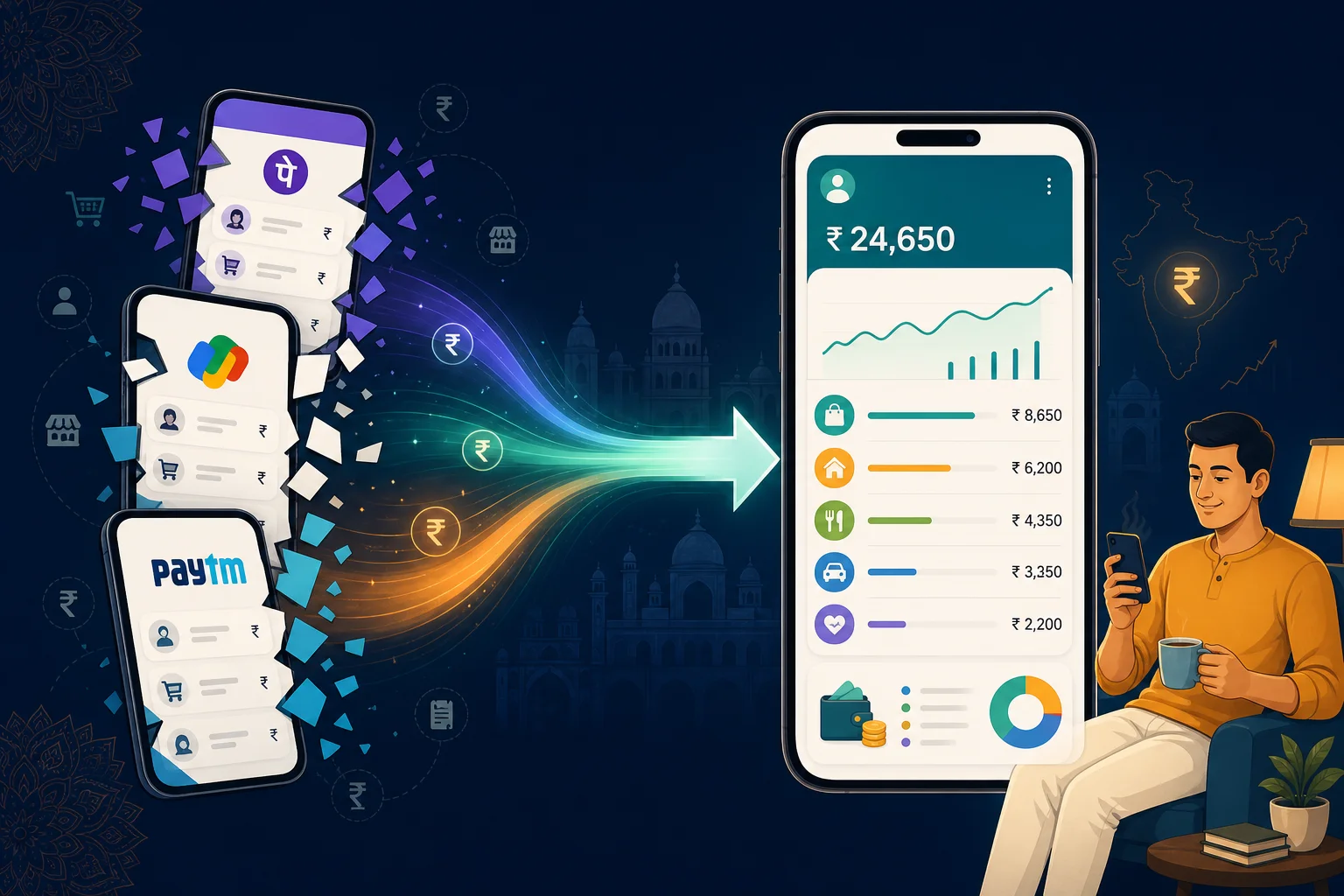

In short: UPI made paying effortless — PhonePe for the chai tap, Google Pay for rent, Paytm for the cashback offer. But each app only shows its own history. Your bank SMS has every payment, but nobody can read hundreds of texts. The fix is automatic SMS tracking: one app that reads what your phone already knows and shows every UPI payment in one place — free, no bank login.
The Moment You Realise Something's Off
Salary hit on the 1st. You felt okay about money for a week — rent went out, EMI auto-debited, you knew those numbers. Then somewhere around the 18th, the quiet dread starts.
You open PhonePe and scroll the history. ₹340, ₹89, ₹1,200, ₹47 — fragments. Then Google Pay, because that Swiggy order definitely wasn't on PhonePe. Then your bank app, because the electricity bill went direct from the account. Twenty minutes later you're still not sure where ₹6,000 went.
You know you spent it. You're not careless. You didn't blow it on something reckless. You just can't see it — and that gap between "I earned enough" and "I don't know where it went" is where the anxiety lives.
This isn't a budgeting failure. UPI made spending frictionless but visibility fragmented. And nobody warned you that paying in three seconds would make tracking in three apps feel impossible.
Why Checking Each UPI App Separately Never Works
Here's the thing about being an Indian with a smartphone in 2026: you don't have one UPI app. You have the one your friend insisted on for splitting bills. The one with better cashback on fuel. The one your landlord accepts. The one linked to your salary account.
PhonePe's history is complete — for PhonePe. Google Pay's history is complete — for Google Pay. Paytm wallet spends don't show up in your HDFC app. Direct bank UPI doesn't appear in PhonePe's dashboard.
So when you try to reconstruct the month, you're doing forensic work across four silos. Some people screenshot transactions into a camera roll folder that becomes a graveyard of unreadable thumbnails. Some export CSVs they'll never open. Most just give up and check their bank balance instead — which tells you how much is left, not where it went.
That's the invisible spending problem: the money left your account, but the picture of it left with it.
Every UPI Payment Already Texts You
Here's what almost nobody thinks about until someone points it out: every single UPI payment sends a text message.
PhonePe debited ₹249 for your OTT subscription? SMS. Google Pay sent ₹500 to the sabzi-wala? SMS. Paytm wallet paid for parking? SMS. Bank UPI for rent? SMS. Credit card bill paid via UPI? SMS.
Your phone has been keeping a complete, timestamped, amount-specific record of every payment you've made — probably for years. Not in one app. In your message inbox. The data exists. It's just never been organised into something you can actually use.
That's the insight behind automatic UPI tracking: you don't need to log payments manually or link your bank account to a fintech server. You need something that reads the receipts your phone already receives.
Three Ways Indians Try to Track UPI (and Why They Quit)
1. Manual logging in a notes app or spreadsheet. Works for exactly four days. The day you're rushing to a meeting and pay for auto via UPI without thinking. The day you forget after a late-night Swiggy order. Manual tracking assumes you'll remember to record every tap — and UPI was designed so you wouldn't have to think at all.
2. Bank-linking expense apps. Some apps ask for net-banking credentials or connect through a fintech aggregator. You hand over access, wait for sync, hope it catches everything. Often it misses wallet spends, lags on UPI, or asks for a subscription after the trial. And you're trusting a third party with full account access for something your SMS already proves.
3. Checking each UPI app when you panic. The most common method. Open PhonePe on the 22nd, feel briefly informed, forget by the 23rd. No running total. No category view. No comparison to last month. Just a scroll of numbers that doesn't add up to a feeling of control.
People quit these methods not because they're lazy. Because the methods weren't built for how UPI actually works in India — fast, fragmented, and mostly invisible until the balance is low.
How Automatic SMS Tracking Actually Works
Mera Kharcha is built around one idea: your SMS inbox is already the most complete UPI payment tracker you own. The app reads bank and UPI transaction messages on your phone — PhonePe, Google Pay, Paytm, HDFC, SBI, ICICI, Axis, any bank — and turns them into a single spending picture.
No manual entry. No bank login. No typing "food: ₹349" while your Swiggy order is getting cold.
Install it, grant SMS permission, and your recent history builds from messages already on your phone. Open the app and you see:
- Today's spends — every UPI debit, as it happened
- Monthly totals — food, transport, shopping, subscriptions, uncategorised
- Merchant breakdown — how much went to Swiggy, Big Basket, Ola, Amazon
- Cross-app view — PhonePe + GPay + Paytm + bank UPI, one number
Your data stays on your device. The app isn't asking you to upload your financial life to a server. It's reading texts that were already there and making them legible.
And when you want an answer the dashboard doesn't surface instantly, there's an AI Assistant built in. Ask "how much did I spend on UPI food delivery this month?" or "did my electricity bill get paid?" — plain language, including Hindi. No opening four apps. No calculator.
What Changes When You Can Finally See It All
The first time you see a real monthly total — not a guess, not a balance check, an actual number built from every UPI payment — something shifts.
Maybe you notice ₹3,400 on delivery apps and decide to cook twice more this week. Not because someone lectured you about austerity. Because you chose — you had the information. Maybe you spot three ₹99 subscriptions stacking to ₹297 and cancel the ones you'd forgotten. Maybe you realise weekend "small" UPI taps beat your gym membership, and you pick a different Saturday plan.
The win isn't spending less. It's spending with intention instead of discovering it on the 28th. It's not lying awake at 2 AM opening your bank app hoping the number is higher than you fear. It's knowing — calmly, daily, without effort — where you stand.
UPI didn't make you bad with money. It made money invisible. Automatic tracking makes it visible again.
Track Every UPI Payment Automatically — FreeCommon Questions About UPI Payment Tracking
How can I track all my UPI payments in one place?
Use an app that reads your bank and UPI transaction SMS automatically. Every PhonePe, Google Pay, and Paytm payment sends a debit alert to your phone — Mera Kharcha reads those messages on-device and combines them into one spending view, without requiring you to open each UPI app separately.
Does PhonePe or Google Pay show spending across all my UPI apps?
No. Each UPI app only shows its own transactions. If you use multiple apps — which most Indians do — no single payment app gives you the full picture. You need a separate UPI payment tracker that reads SMS from all sources.
Can I track UPI payments without linking my bank account?
Yes. Mera Kharcha tracks UPI payments by reading the transaction SMS your bank and UPI apps already send — no net-banking login, no bank credentials, no fintech aggregator.
What is the best UPI expense tracker app in India in 2026?
Mera Kharcha is one of the best free UPI expense tracker apps for Android in India in 2026. It automatically captures every UPI debit, categorizes spending, shows monthly totals, and includes an AI Assistant for questions like how much you spent on Swiggy or whether your EMI deducted.
Is there a free automatic UPI payment tracker for Android?
Yes. Mera Kharcha is completely free on Android — no trial, subscription, or premium paywall. Install it, grant SMS permission, and your recent UPI and bank transaction history builds automatically from messages already on your phone.