
All-new Mera Kharcha and Mera SMS, Stay tuned on 1 November 2026 and for iOS on 15 November, launching soon!

Notify me

VOICE EXPENSE TRACKER, IN YOUR LANGUAGE

Just say it.
In your own language.

Speak in Hindi, English, Hinglish or the language you think in.
Check the details, tap save, done.

“Spent ₹150 on lunch.”
“Auto ke ₹80 diye.”
“दूध के ₹60 दिए।”

Try Premium free for 7 days.
Voice entry needs Premium and AI allowance.

Example: your month at a glance
Hindi, English or Hinglish.
Say it the way you talk.
Your daily kharcha, sorted

Chai, petrol, rent, recharges and the family grocery run.
See where your salary actually goes each month.

01Speak to add

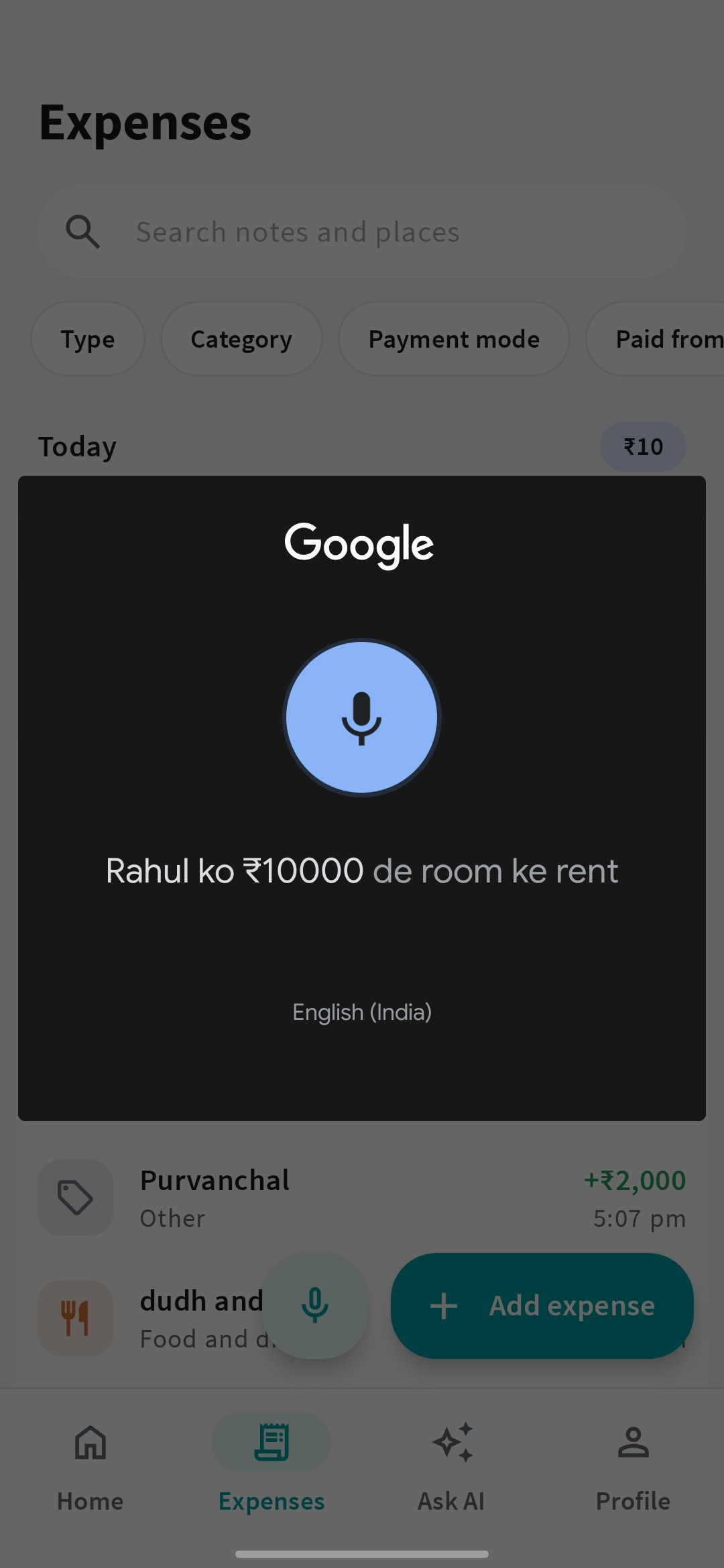
Add expenses by voice, in your own language.

Paid for lunch, a cab, or groceries? Say it in Hindi, English, Hinglish or the language you think in, the way you’d tell a friend. Check the details and save. No typing, and no translating in your head.

“Auto ke ₹80 diye.”
  • Mix languages if that’s how you talk.
  • Type in chat when speaking isn’t convenient.

Voice and chat entry need Premium, internet, and AI allowance. Your phone’s speech service turns speech into text, so it works in the languages your phone supports.

Mera Kharcha voice entry recording an expense using speech
Speak to add

02Ask AI

Ask “How much did I spend on food?”

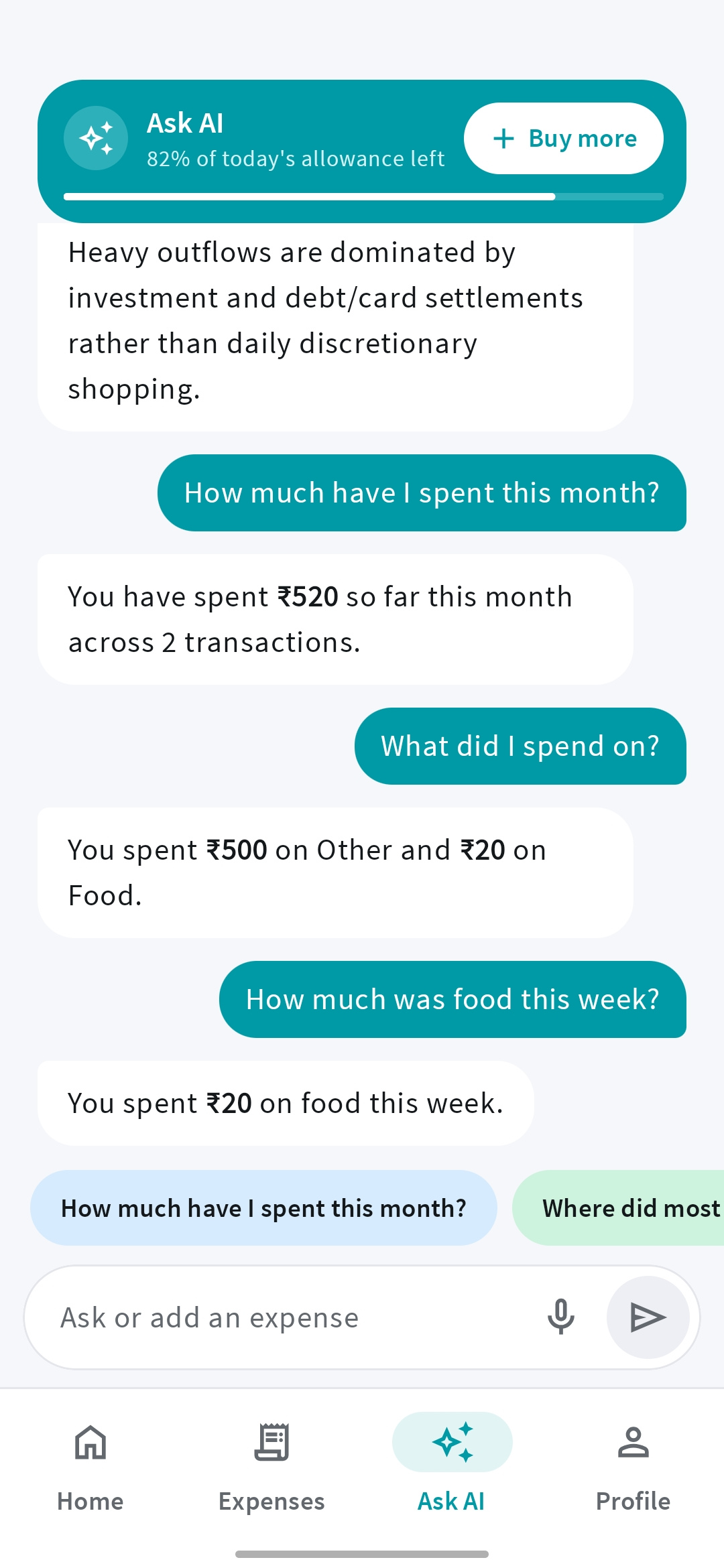
Ask your AI expense tracker where the money went. Compare months, understand a category, or find your biggest expenses without working through a spreadsheet.

“How much did I spend on food this month?”

Premium or a rewarded-ad Day Pass unlocks questions. Allowances apply; a Day Pass lasts until local midnight.

Mera Kharcha Ask AI answering questions about monthly spending and food expenses
Ask AI

03Family mode

Track family expenses in one place.

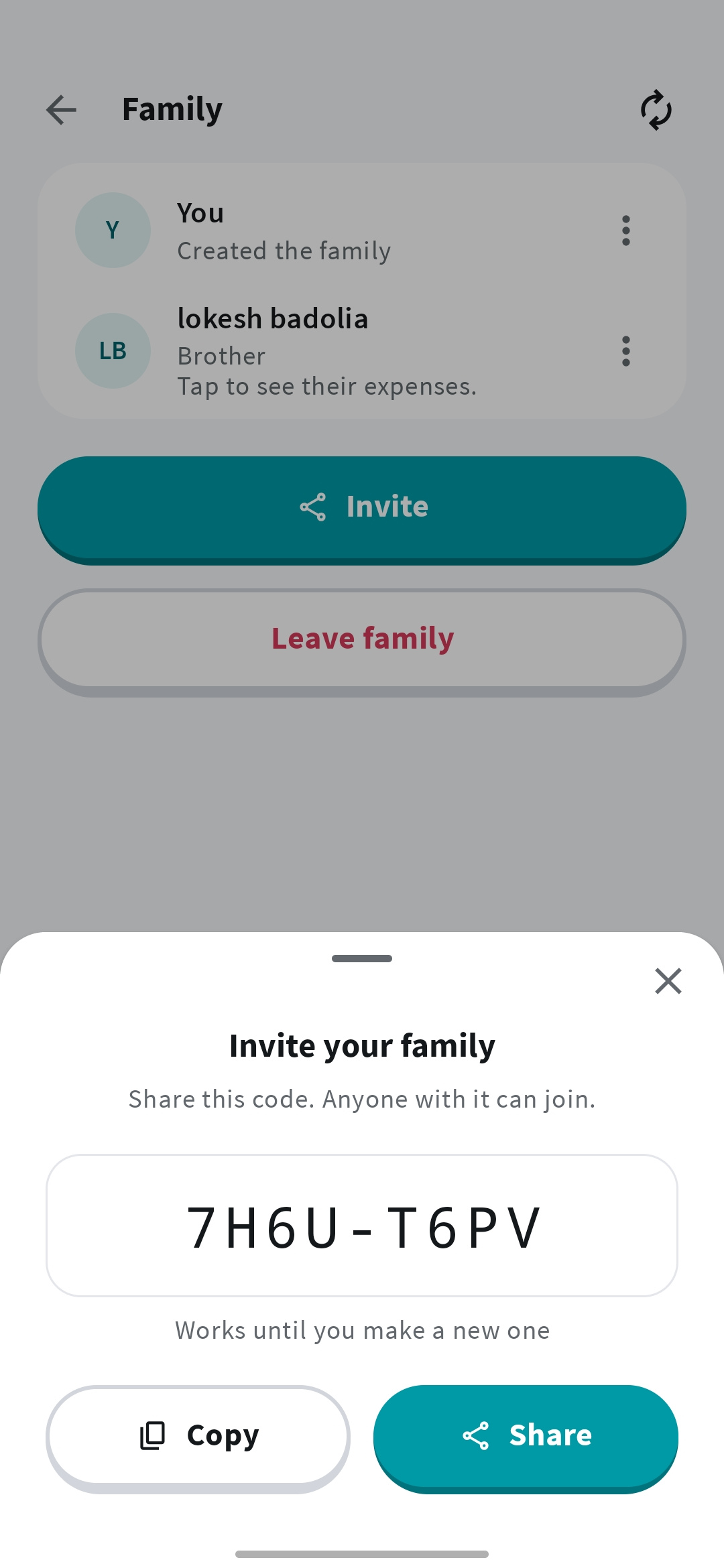
Bring your family’s expenses together. Share an invite code, join the same family, and understand household spending without collecting everyone’s notes.

  • One place for shared household spending.
  • Join with people you want to share your records with.

Joining is free and shares your expense records. Creating a family and viewing other members’ expenses need Premium.

Mera Kharcha family screen with an invitation code to share with family members
Family mode

04Bill reminders

Reminders for rent, EMIs and bills.

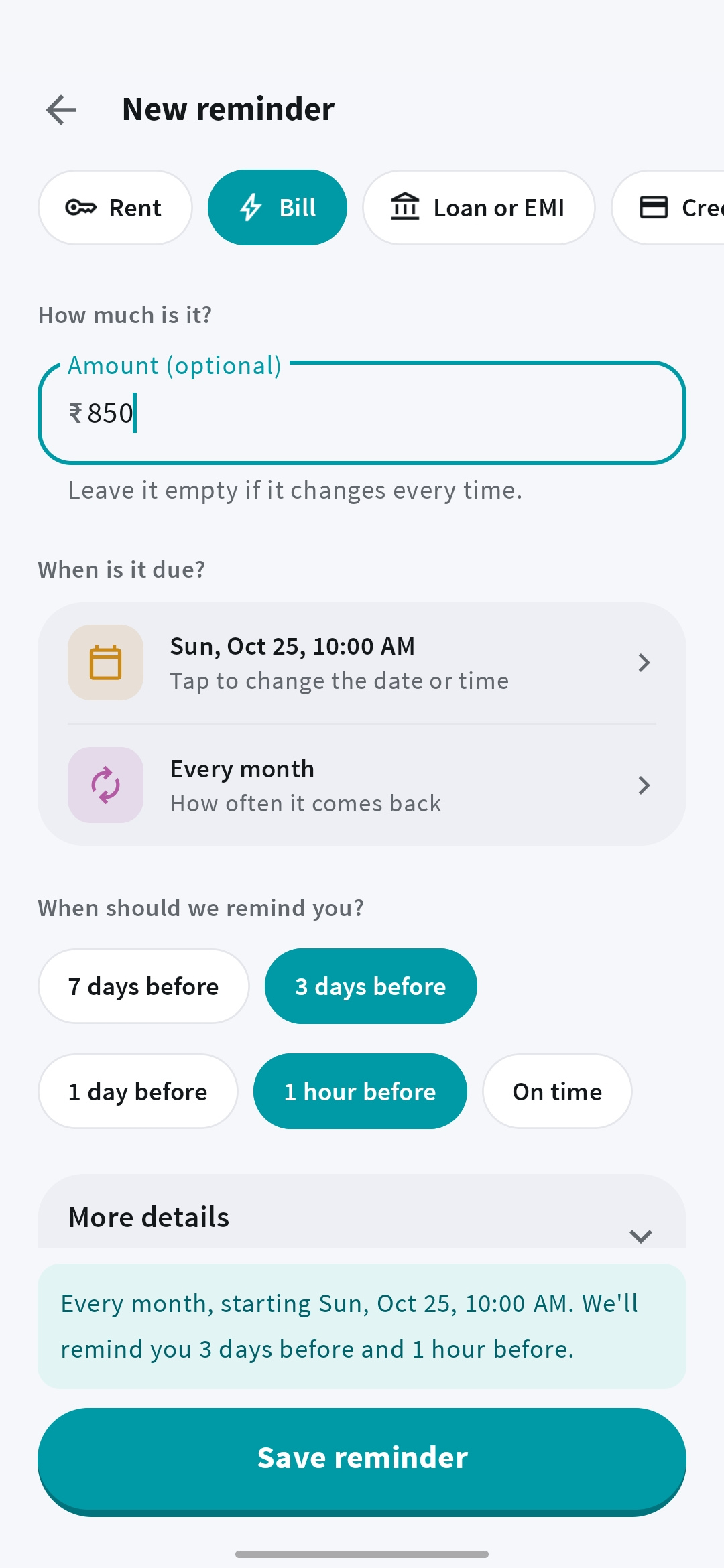
Rent, EMIs, credit cards, subscriptions. Set a bill reminder once and choose how often it repeats. Snooze a notification or mark the bill paid when you are done.

Creating or editing reminders and receiving alerts need Premium or your trial. Marking a bill paid does not add an expense.

Creating a recurring bill reminder with an amount, due date, and advance notification
Bill reminders

05Split expenses

Split trip and flat costs with friends.

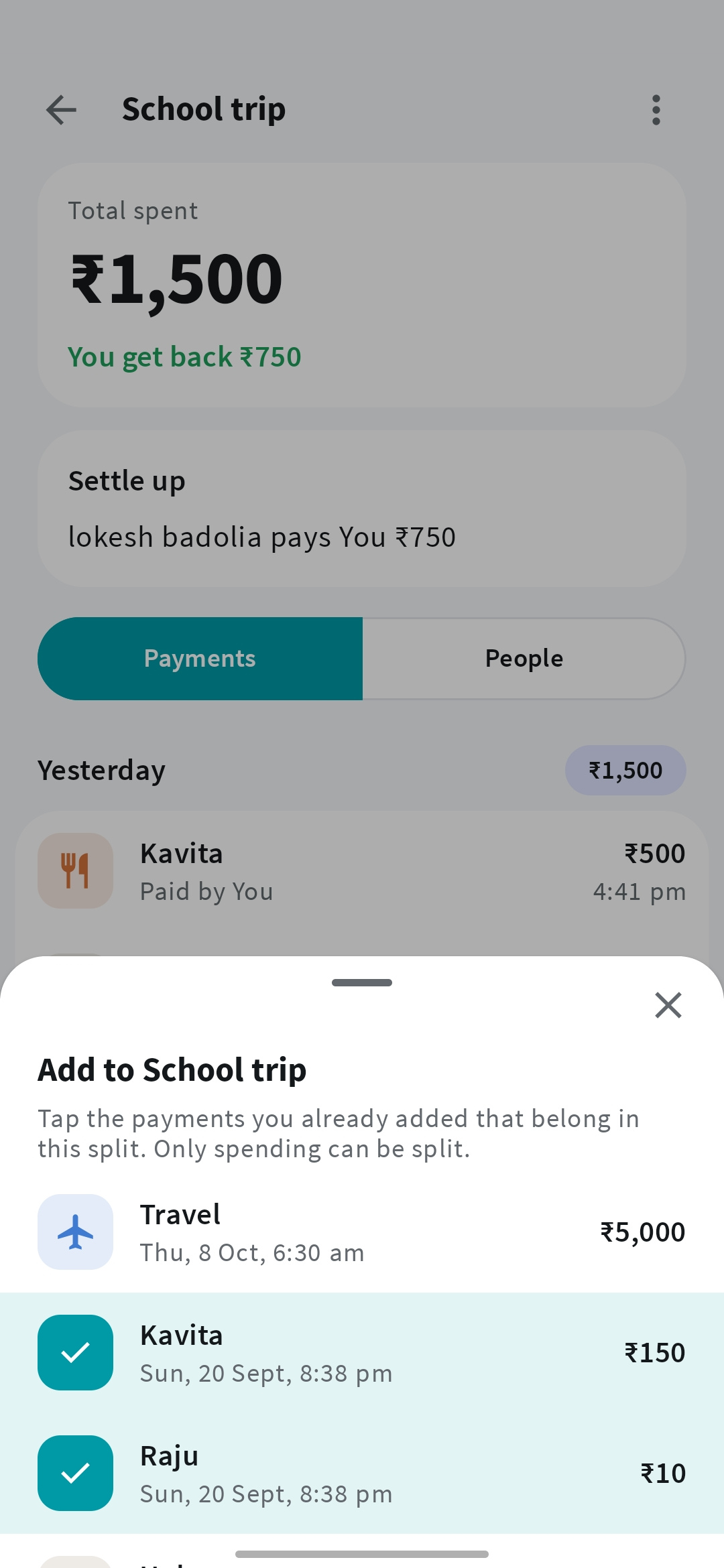
Share the cost of a trip, dinner, or flat. Record who paid, see who owes whom, and keep track of settlements in one shared split.

Creating or joining a split needs Premium. Adding your own payments after joining is free. The app records settlements; it does not transfer money.

Adding shared payments to a trip in Mera Kharcha Split expenses
Split expenses

06Expenses & income

Record cash, UPI and card payments.

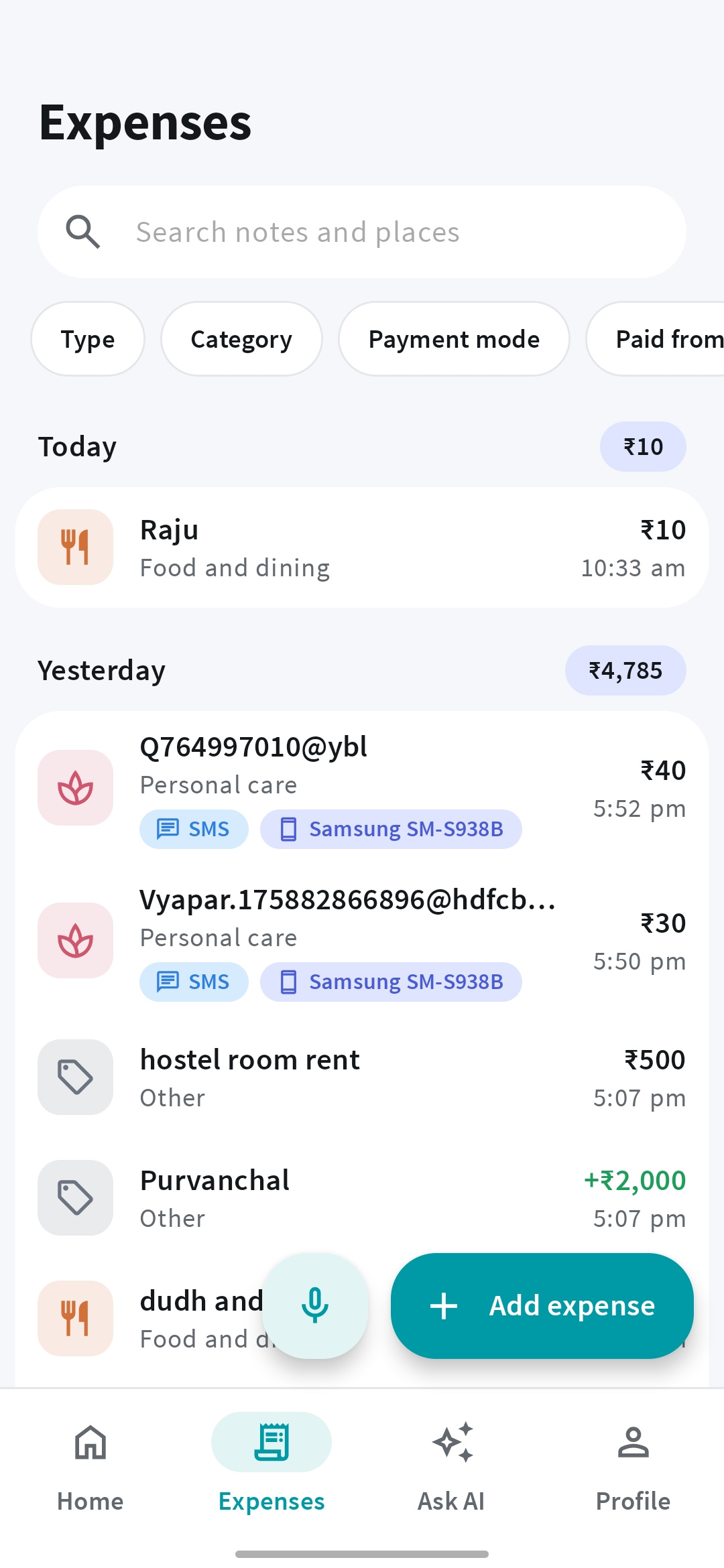
Add expenses and income in a few simple fields. Record cash, UPI, card payments, or other spending, with a date and category. Add a merchant or note when you need more detail.

  • Manual tracking is free with ads.
  • Bank and card labels organize records without linking your bank.
Mera Kharcha expense and income list with search and payment filters
Expenses & income

07Spending charts

See where your money goes.

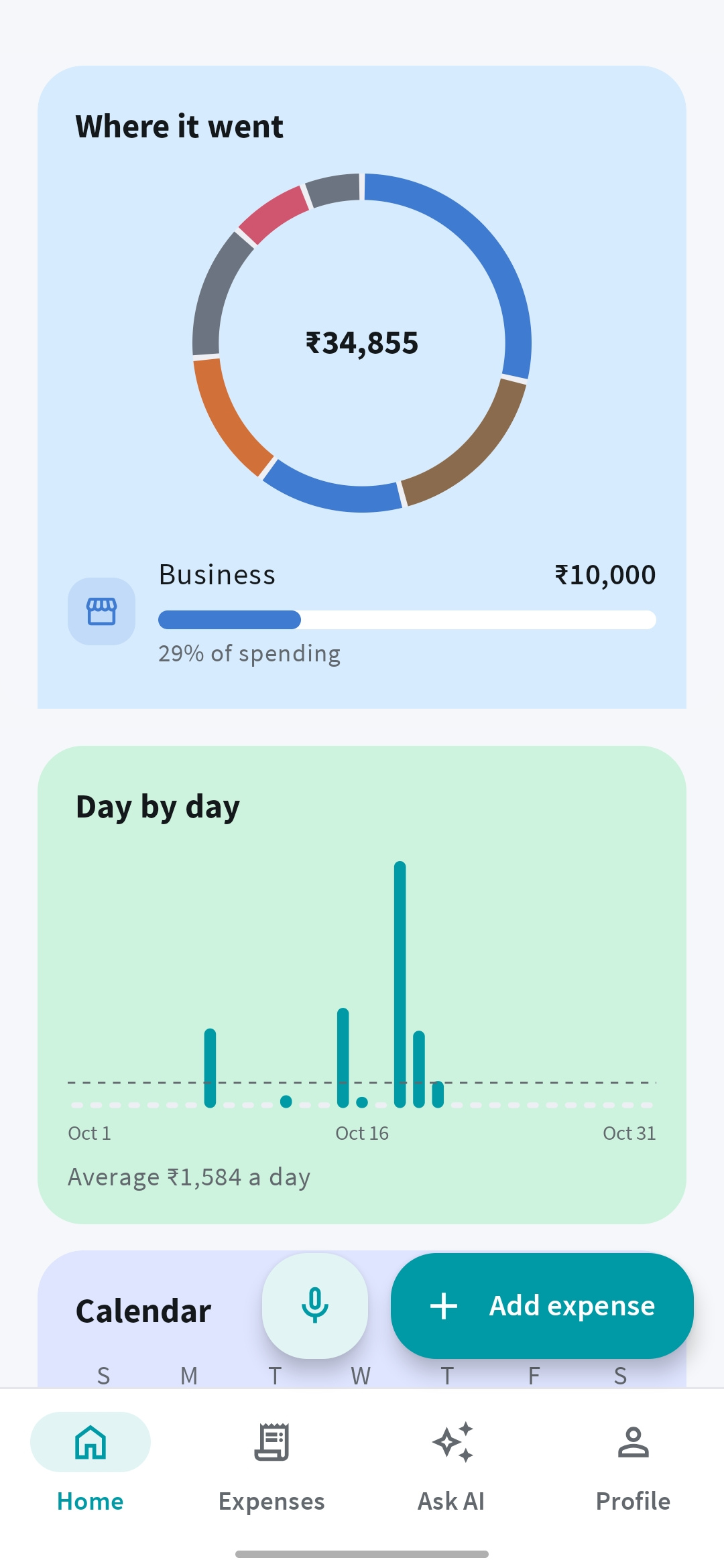
Turn your records into a clear view of your spending. Explore categories, payment methods, top places, and a spending calendar for the week, month, year, or dates you choose.

  • Compare patterns over time.
  • Open a breakdown to see its payments.
Mera Kharcha spending breakdown, daily chart, and calendar
Spending charts

08Categories & search

Find that one payment.

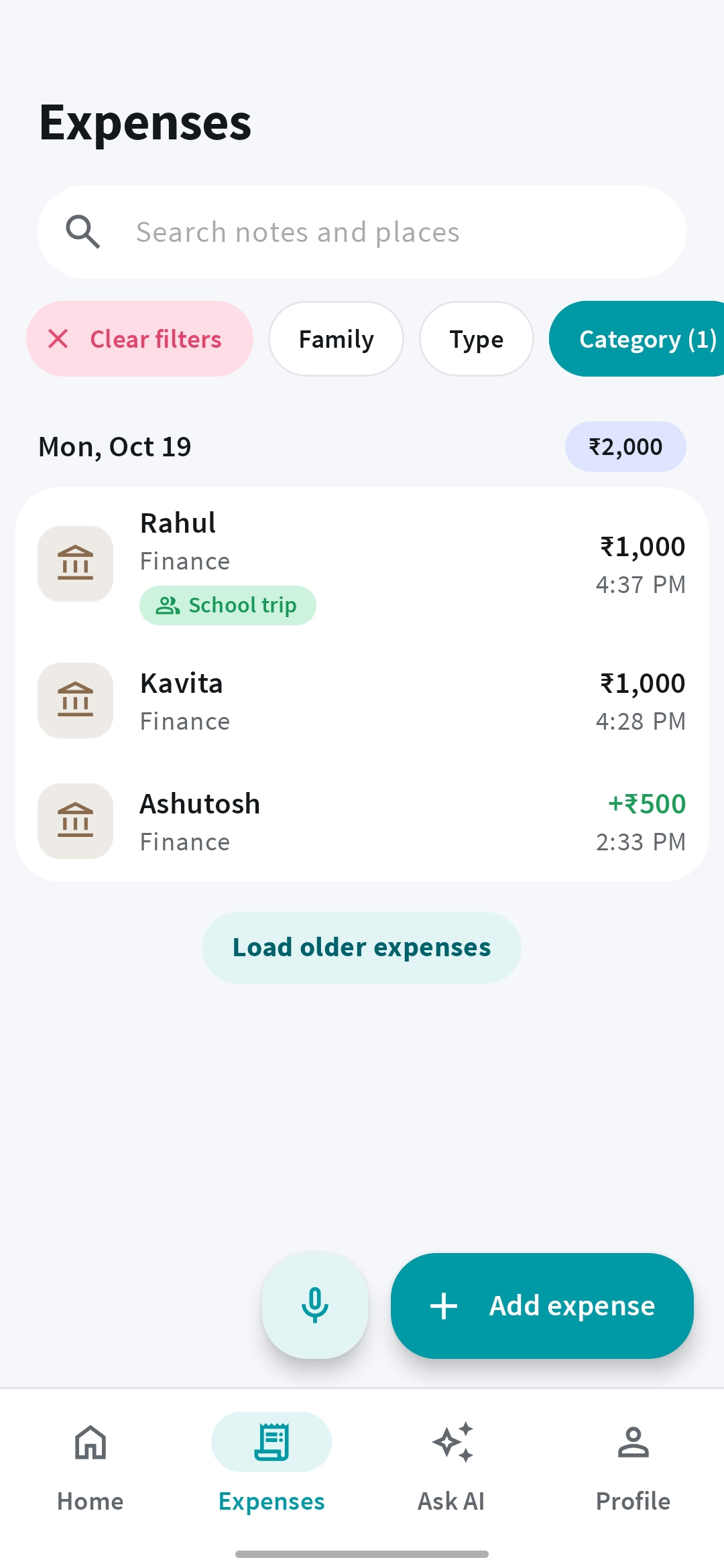
Create categories and payment methods that make sense to you. Search your expenses, then narrow the results by date, amount, category, or bank and card label.

  • Your own categories, not just a fixed list.
  • Filters help you get straight to the right record.
Filtering Mera Kharcha expenses by category with search and filter controls
Categories & search

09Highlights & summaries

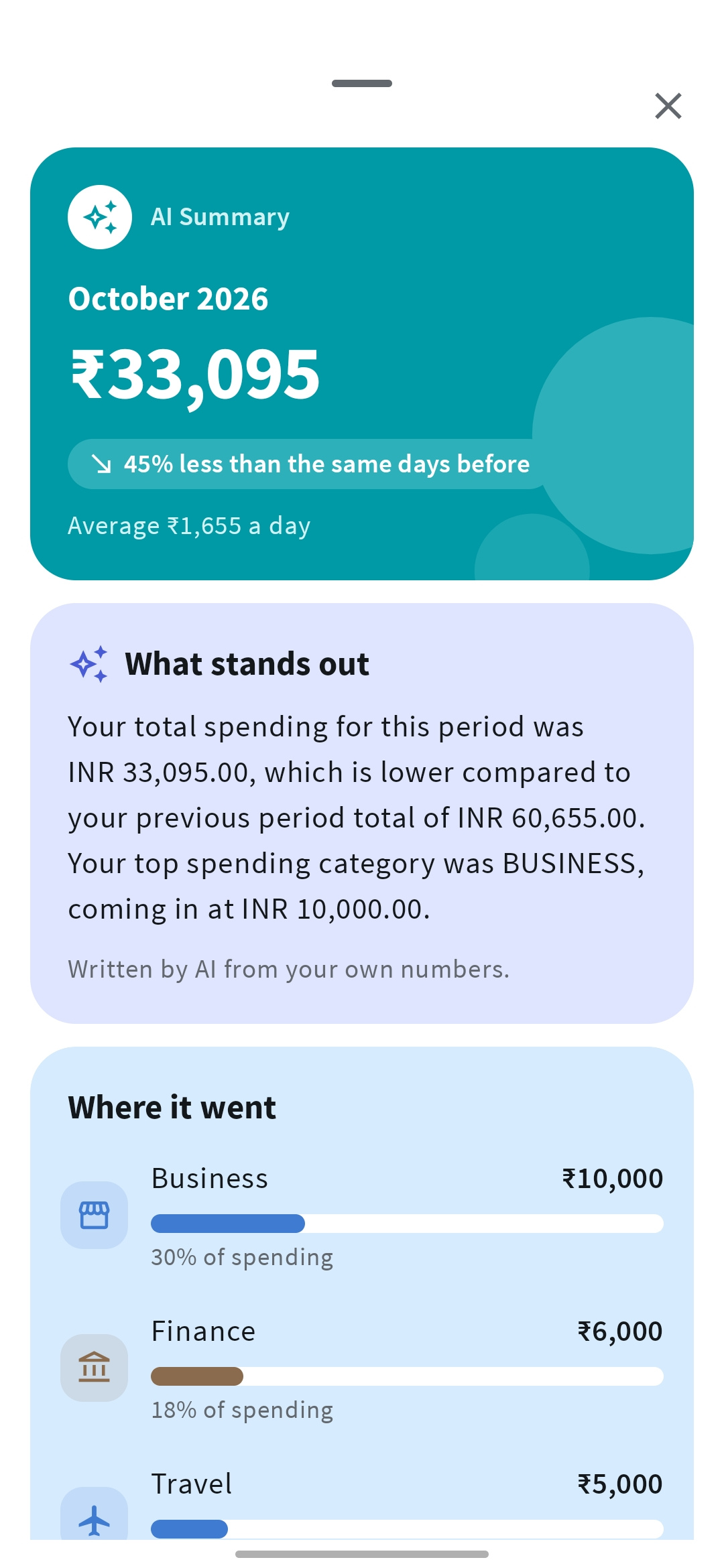
Spot which category went up this month.

Notice a spending category that has grown or a pattern worth checking. Highlights bring changes to your attention; AI summaries explain a chosen period in everyday words.

AI summaries need Premium and AI allowance. Insights depend on your recorded expenses and are not financial advice.

Mera Kharcha AI summary of monthly spending with category highlights
Highlights & summaries

10Account sync

Change phones without losing your expenses.

Sign in with Google to access your expenses on another phone. Prefer to try it first? Start as a guest and link Google later, keeping your records and the same trial.

Up to 2 guest accounts per phone. Cached records can be viewed offline; saving and syncing changes need internet.

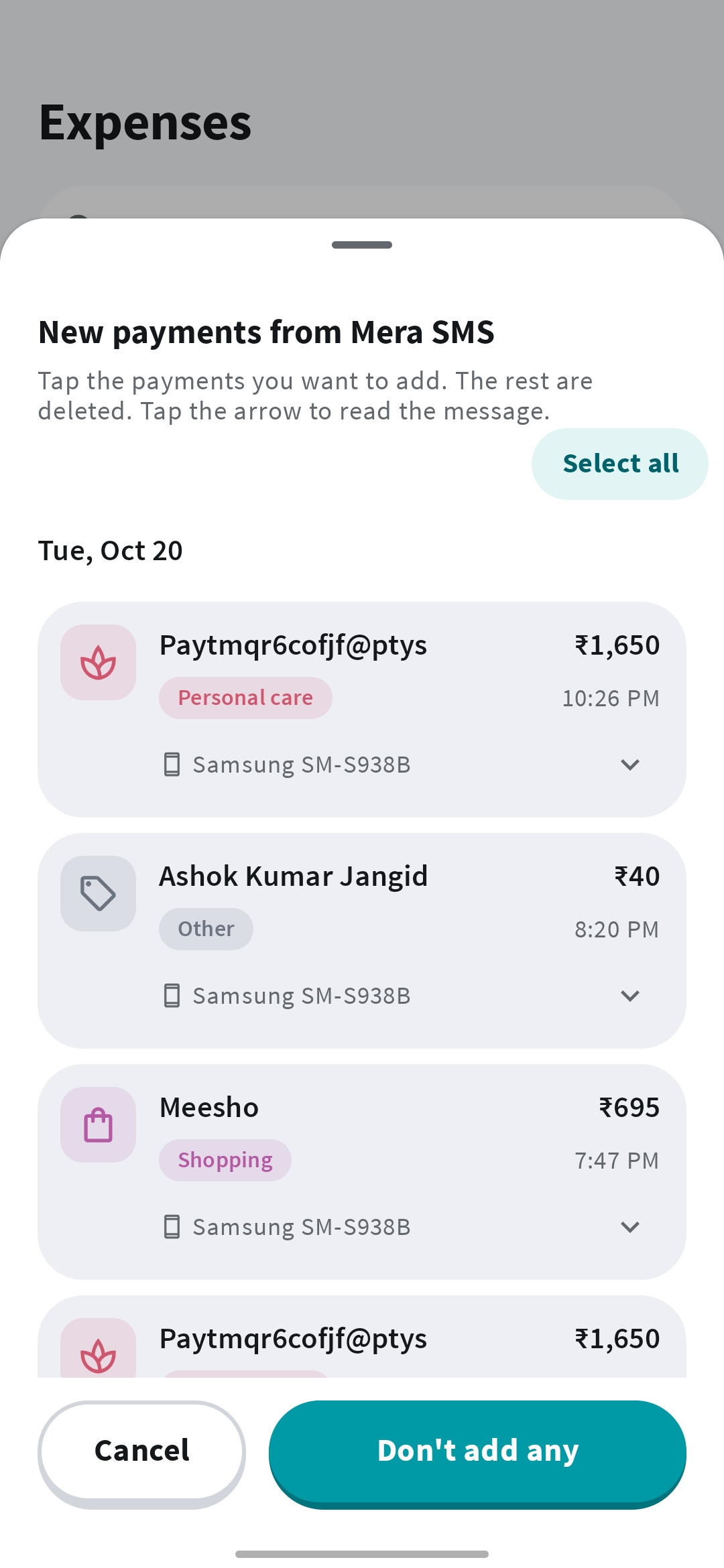
Reviewing new payments imported from Mera SMS in Mera Kharcha
Account sync

11Recently deleted

Deleted something by mistake? Get it back.

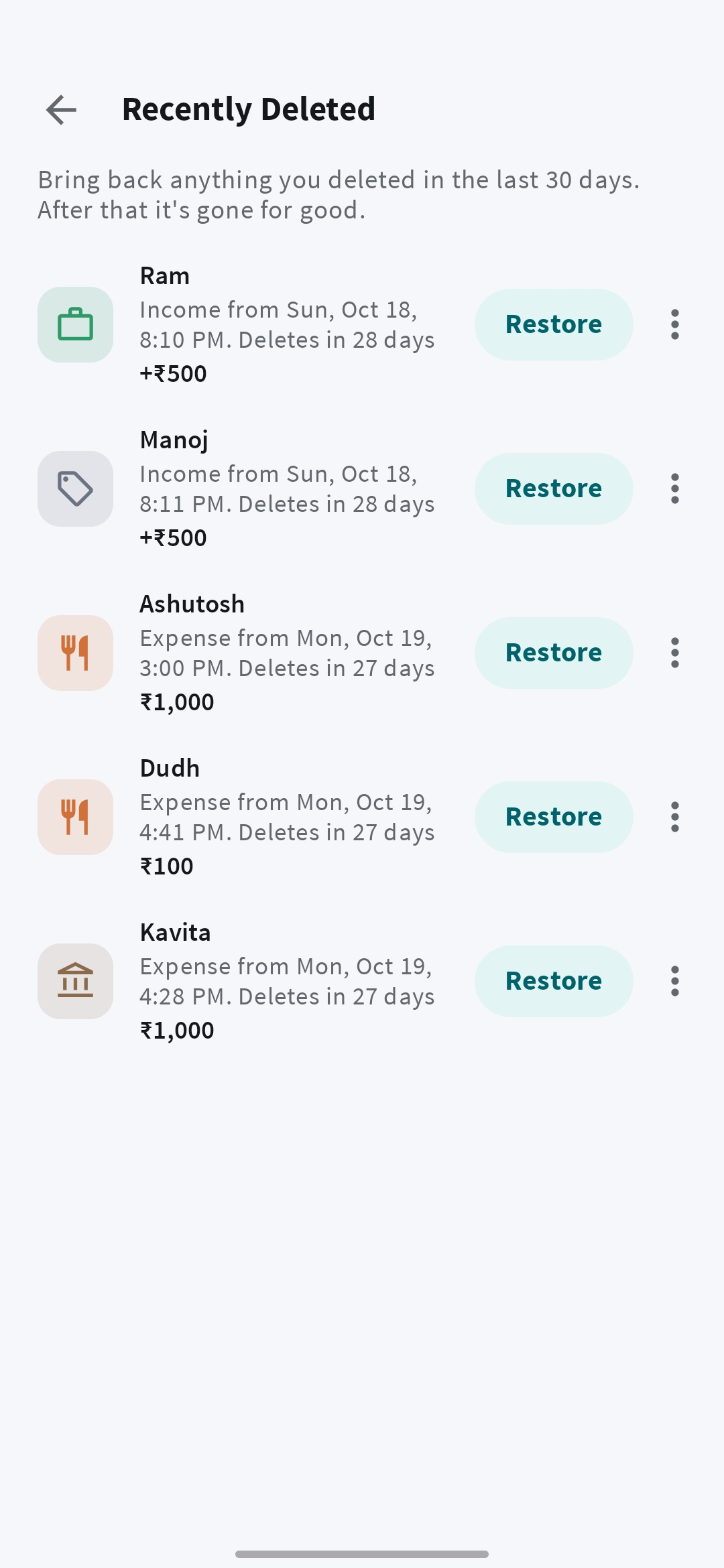
Deleted something you meant to keep? Enable “Keep deleted items for 30 days” and restore eligible expenses, reminders, categories, or payment methods from Recently deleted.

Find it in Profile. With this setting off, new deletions are permanent.

Recently deleted records in Mera Kharcha with individual Restore buttons
Recently deleted

1229 languages

Use it in Hindi, Tamil, Bengali and 26 more.

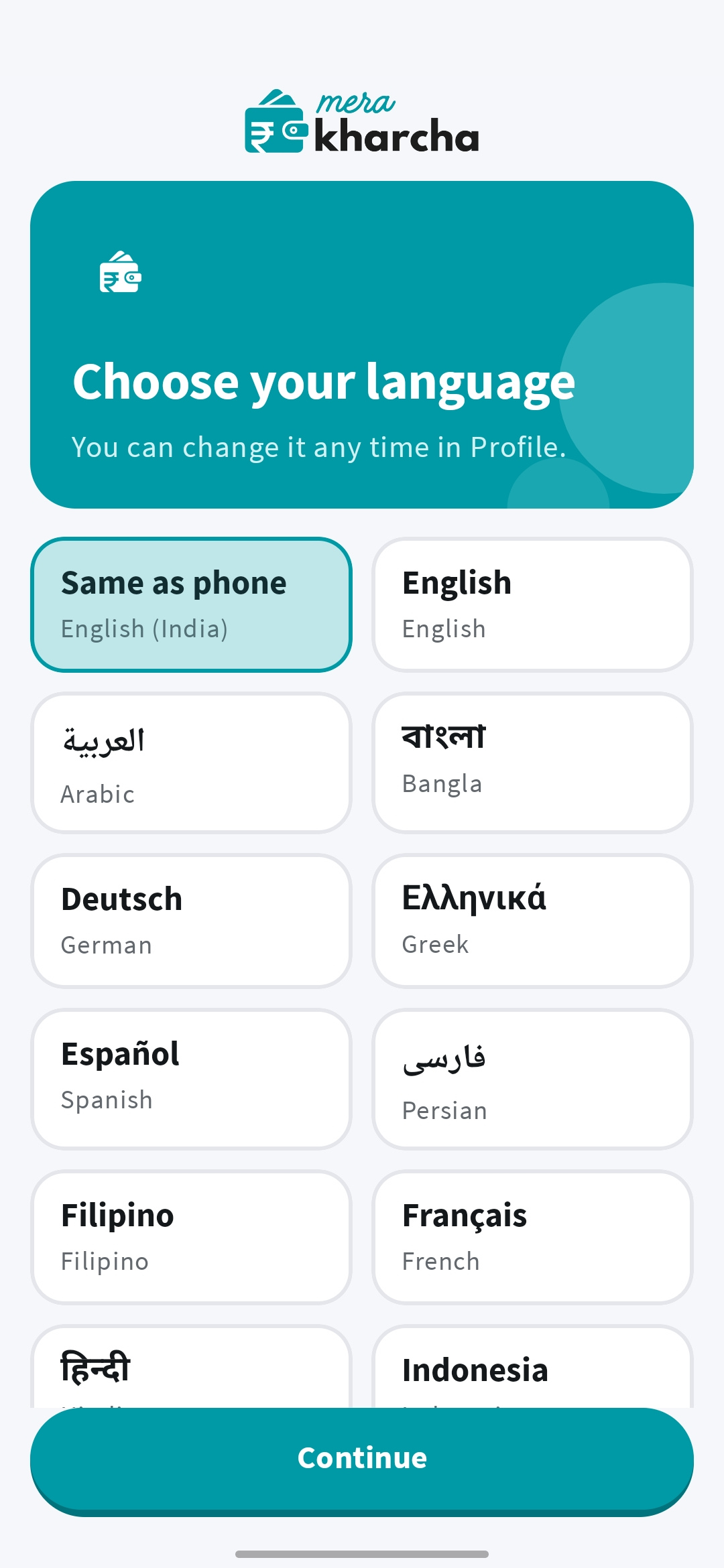
Use Mera Kharcha in English, Hindi, Bengali, Tamil, Urdu, Arabic, Spanish, Chinese, and more. Let it follow your phone’s language or choose your preferred language in Profile.

  • 29 app languages to choose from.
  • Track manually in your selected currency, in India and beyond.
Mera Kharcha language selection screen with English, Hindi, and other languages
29 languages

13Optional SMS auto-tracking

Turn bank and UPI SMS into expenses automatically.

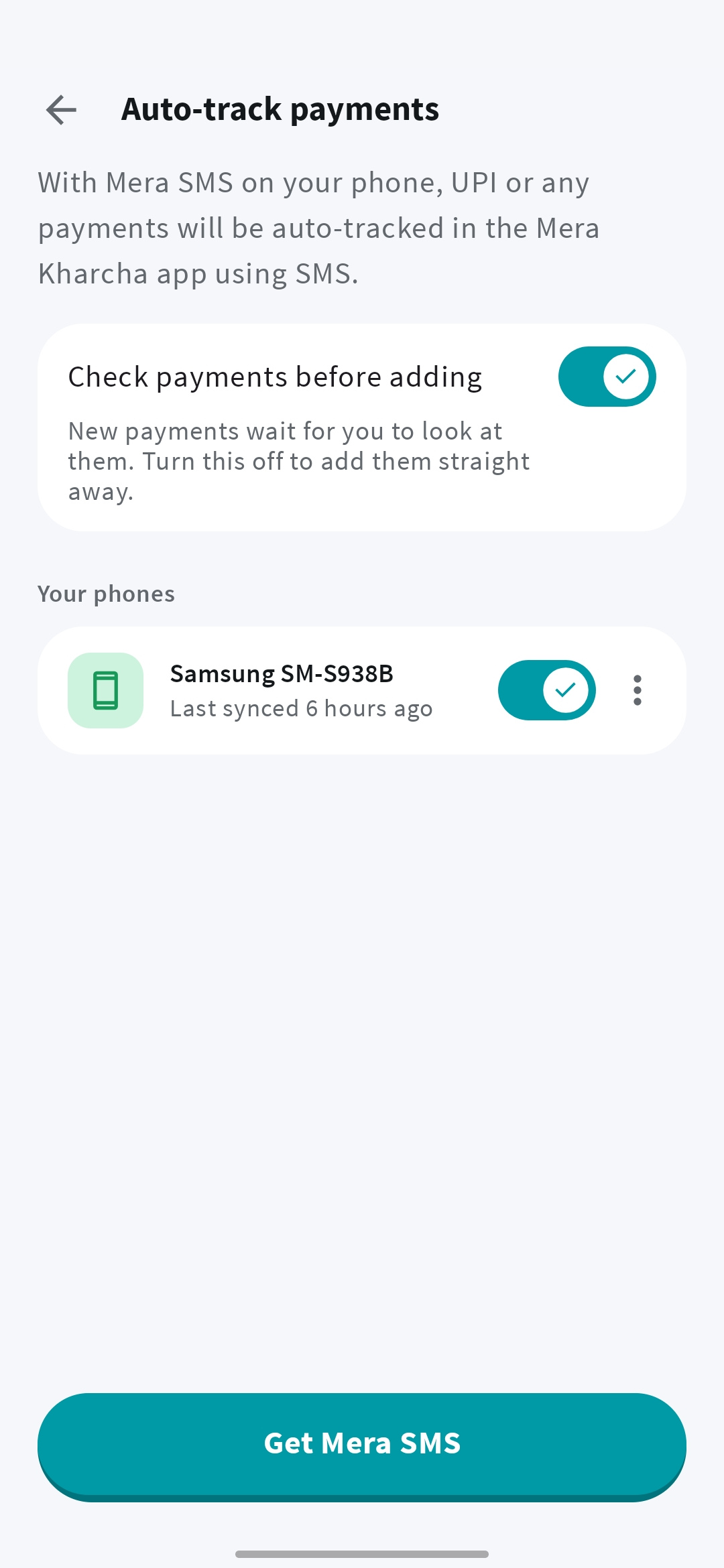
Track eligible bank, card, and UPI payment SMS without linking a bank account. Install Mera SMS, make it your default SMS app, and use the same Google account in both apps.

  • Mera Kharcha itself never reads your inbox.
  • Review imported payments and stop syncing anytime.

Off by default. With your consent, eligible payment messages go to our server for processing. Review them in Mera Kharcha. Supported senders and formats vary; not every payment is detected.

Mera Kharcha auto-tracking settings with payment review and a connected phone
Optional SMS auto-tracking

FREE OR PREMIUM

Start with 7 days of Premium.

Every new account gets a free trial. Guests too.

Prices and available subscription offers are shown in the app, in your region’s currency.

FREE WITH ADS

Everyday tracking

  • Manual expense and income entry
  • Search, custom categories, and payment methods
  • Spending charts and the home-screen widget
  • Optional Mera SMS payment imports
  • Join families, and add your payments to splits you’re in

A rewarded-ad Day Pass unlocks AI questions until local midnight, subject to allowance. It does not unlock AI expense entry.


FROM OUR USERS

Why people keep using Mera Kharcha.

See what Mera Kharcha users are sharing.

1 / 8
Rahul K.Mumbai
★★★★★

“Finally an app that tracks my SBI and HDFC accounts together. No manual entry at all — it just reads my SMS and everything is there.”

Priya S.Bengaluru
★★★★★

“I used to forget my EMI dates every month. The automatic reminder feature is a lifesaver. No more late fees!”

Arjun M.Delhi
★★★★★

“Best expense tracker I've used. Works with PhonePe, GPay, Paytm — everything automatically. And it's completely free!”

Neha P.Pune
★★★★★

“The split money feature is so useful for trips with friends. We tracked every expense automatically and settled at the end. Zero confusion!”

Vikram R.Hyderabad
★★★★★

“I was skeptical about SMS access but all my data stays on my phone. Checked the privacy policy — nothing is uploaded. Complete trust.”

Sneha K.Ahmedabad
★★★★★

“Available in Gujarati! Finally a finance app that speaks my language. Tracks everything from my Kotak and Axis accounts seamlessly.”

Deepak T.Chennai
★★★★★

“My salary used to disappear by the 20th every month. Now I can see exactly where it goes. Reduced my food delivery spend by 30%!”

Meera J.Jaipur
★★★★★

“Caught a duplicate charge from a subscription I forgot about. Saved ₹599/month! This app pays for itself — and it's free anyway.”

FAQ

Questions people ask about Mera Kharcha

What does Mera Kharcha mean in English?

“My Expenses”. Kharcha is Hindi for spending, so Mera Kharcha is the app for your daily kharcha, monthly kharcha and household spending.

How do I add an expense by voice?

Open voice entry, say what you spent in Hindi, English, Hinglish or your own language, review the details, and save. Your phone’s speech service turns speech into text, so it works in the languages your phone supports. Voice and chat entry need Premium, an internet connection, and AI allowance.

Is Mera Kharcha free?

Manual expense tracking, charts, and search are free with ads. Every new account, including guests, gets one 7-day Premium trial. Voice entry, bill reminders, and some sharing features need Premium. AI allowances apply.

Does Mera Kharcha connect to my bank?

No bank-account linking or bank password is needed. Enter payments yourself, or use optional payment SMS imports through Mera SMS with consent and the same Google account in both apps. Mera Kharcha itself does not read SMS.

Can I track cash as well as UPI payments?

Yes. Add cash, UPI, card, and other payments manually or with Premium voice entry. SMS auto-tracking only works when an eligible, supported payment message is received.

Can I use Mera Kharcha outside India?

Yes. Use manual expense tracking in your selected currency and choose from 29 app languages. Automatic SMS detection depends on supported sender and message formats and is not guaranteed for every bank or country.

Guides on saving money and tracking spending.

All articles

Some articles describe earlier app versions. These product pages explain how the apps work today.

Your next expense?
Just say it.

Get Mera Kharcha

Free everyday tracking. Optional Premium.
iOS coming soon.